Latest version: v4.3.27 · 294.3 MB
No account registration is required. Download, install, and enter your licence key to start a 14-day free trial.
* Always downloads the latest installer. Requires Windows 10 or later.
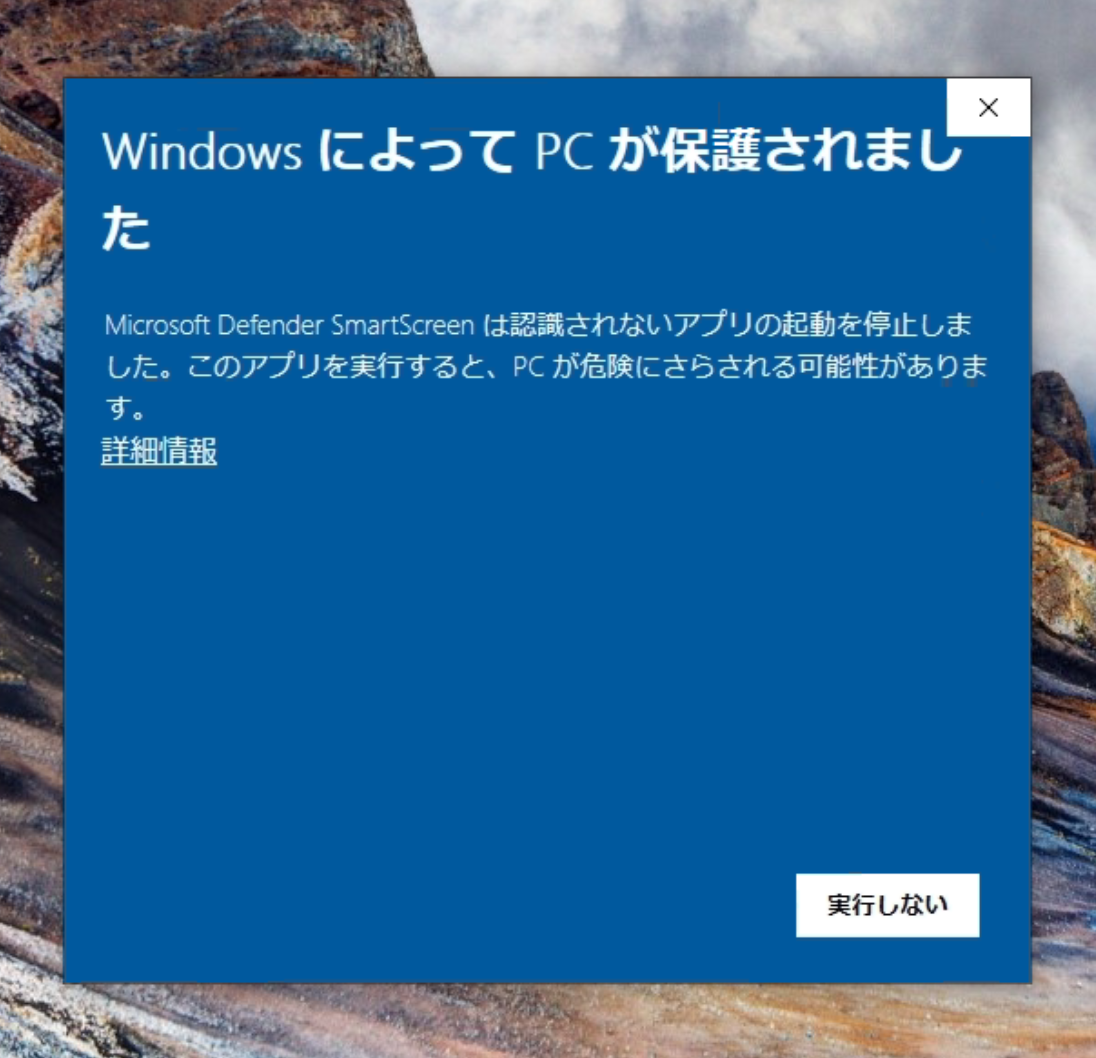
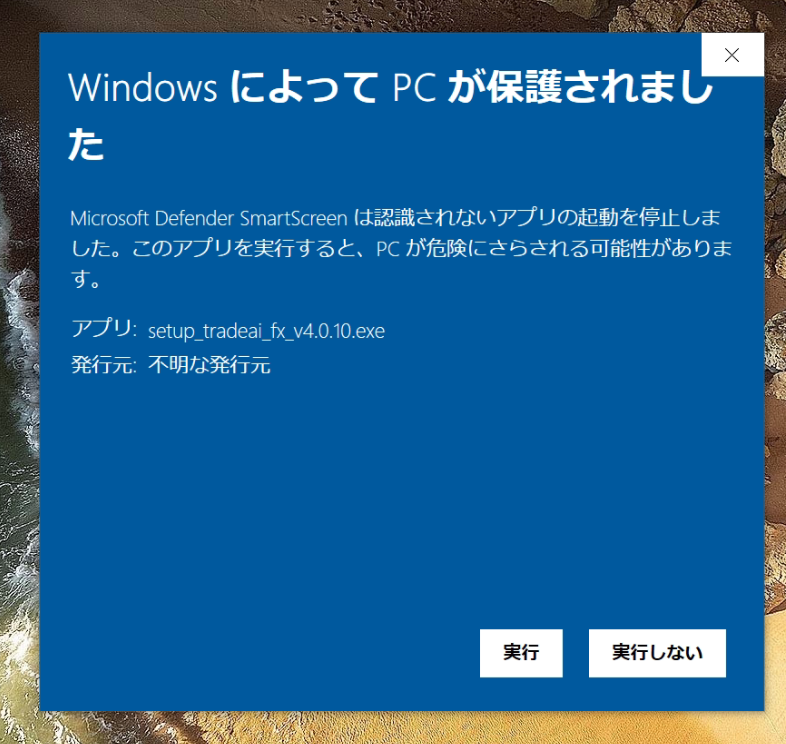
Click More info, then Run
Windows may show “Windows protected your PC” when you first open the installer. This is Microsoft Defender SmartScreen reacting to a newly published app. It is not a virus alert. Continue with the two steps below.
Do not click “Don’t run”. Open More info at the lower left of the blue screen.
The installer name (setup_tradeai_fx_v….exe) is shown. Click Run at the bottom right to start installation.